Tab & Score Editor
Tab & Score Editor - guitar and bass tabs in the browser
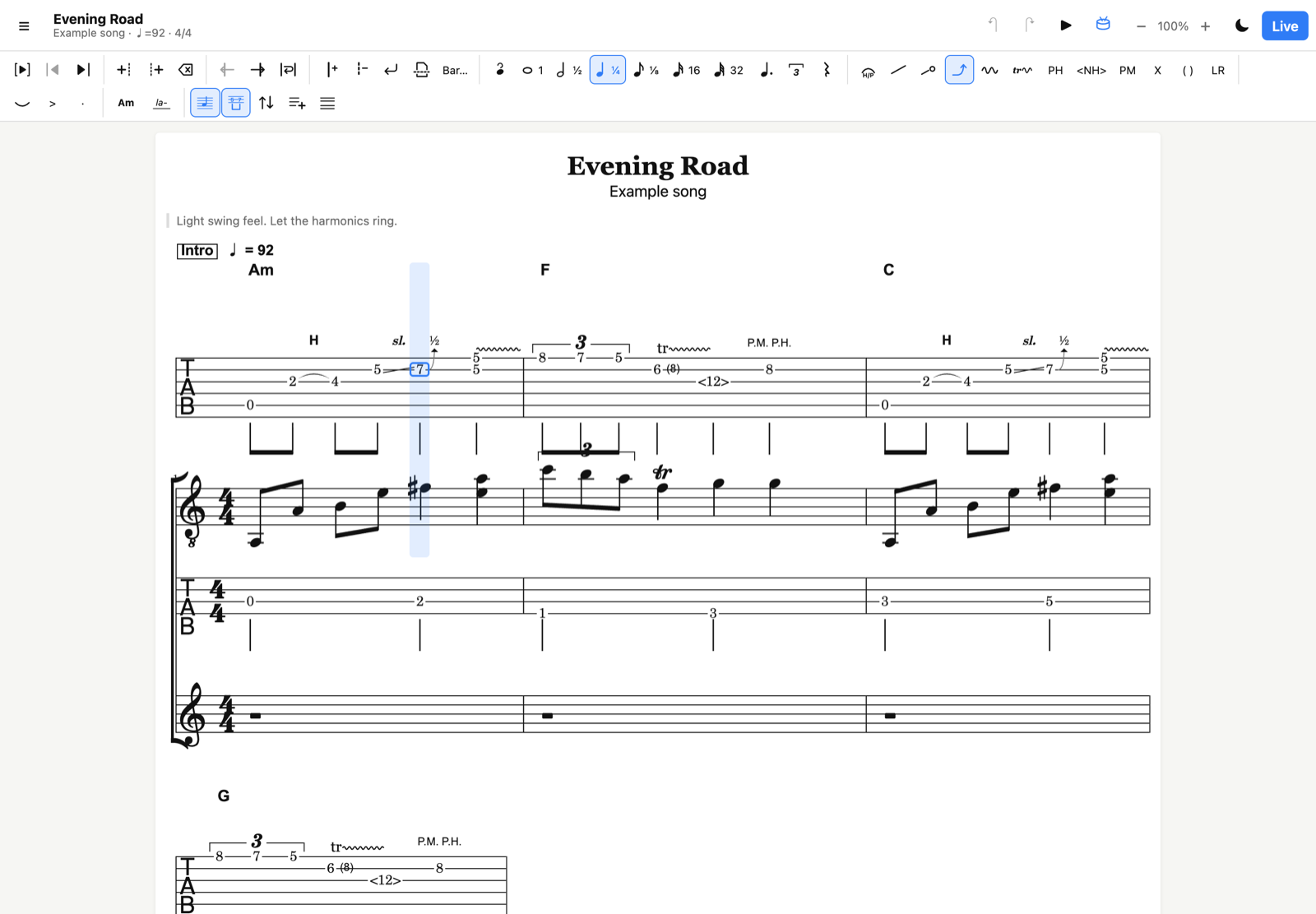
Write tabs like on paper, play them like a score
I wanted a tab editor that feels like a sheet of paper: you write notes where you want, without being forced to decide the rhythm first, and you add bar lines wherever you like. Then, when the song takes shape, you add durations, a tempo and a time signature, and it becomes a real score you can play back, export as MIDI or print as PDF.
It runs entirely in the browser, on desktop and on phone, with nothing to install.
Features
Writing
- Guitar tab (6 strings, standard tuning by default, alternative tunings and capo), bass tab (4 to 6 strings, EADG by default), and score-only tracks (e.g. vocals).
- Several tracks per line, with the musical score above or below the tab, or rhythm (stems, beams, triplet brackets) drawn directly under the tab.
- Chords above the tab, optional lyrics, song title, artist, album and notes.
- Free entry: tempo and time signature are optional. Without them it works like paper. With them, bars that are too long or too short are highlighted with their actual fill (e.g.
4½/4), but entry is never blocked. - Free bar lines, line breaks and page breaks.
- Insert before / after, move notes to the next or previous bar, or fit all notes into bars automatically.
- Transpose by half steps (selection, track or whole song), chord names included.
- Undo / redo, copy / paste, and keyboard shortcuts for everything (shown in each button’s tooltip).
Techniques
Hammer-on / pull-off, slides (shift, legato, in and out), bends (bend, bend & release, release, pre-bend; ¼, ½, full step and more), vibrato, trill, natural and pinch harmonics, palm mute, dead notes, ghost notes, let ring, accent, staccato, ties, dotted notes and triplets.
Playback
- Internal player with General MIDI instruments, including the effects: bends, slides, vibrato and trills are heard, not only displayed.
- Play the whole song from the cursor, or only the selected notes to check a passage.
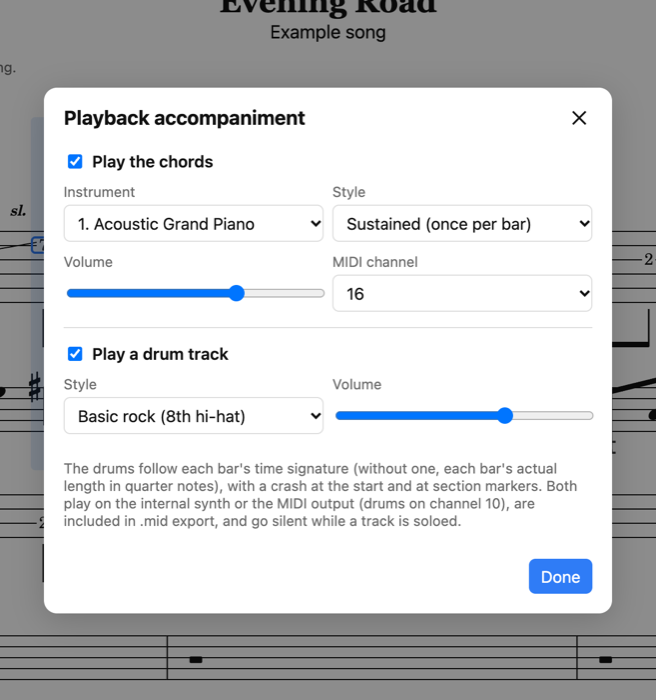
- Optional accompaniment: the chord names played by any instrument (piano by default) and a basic drum track that follows the time signature.
- Or play through an external MIDI device, with per-track channel and instrument.
Live mode
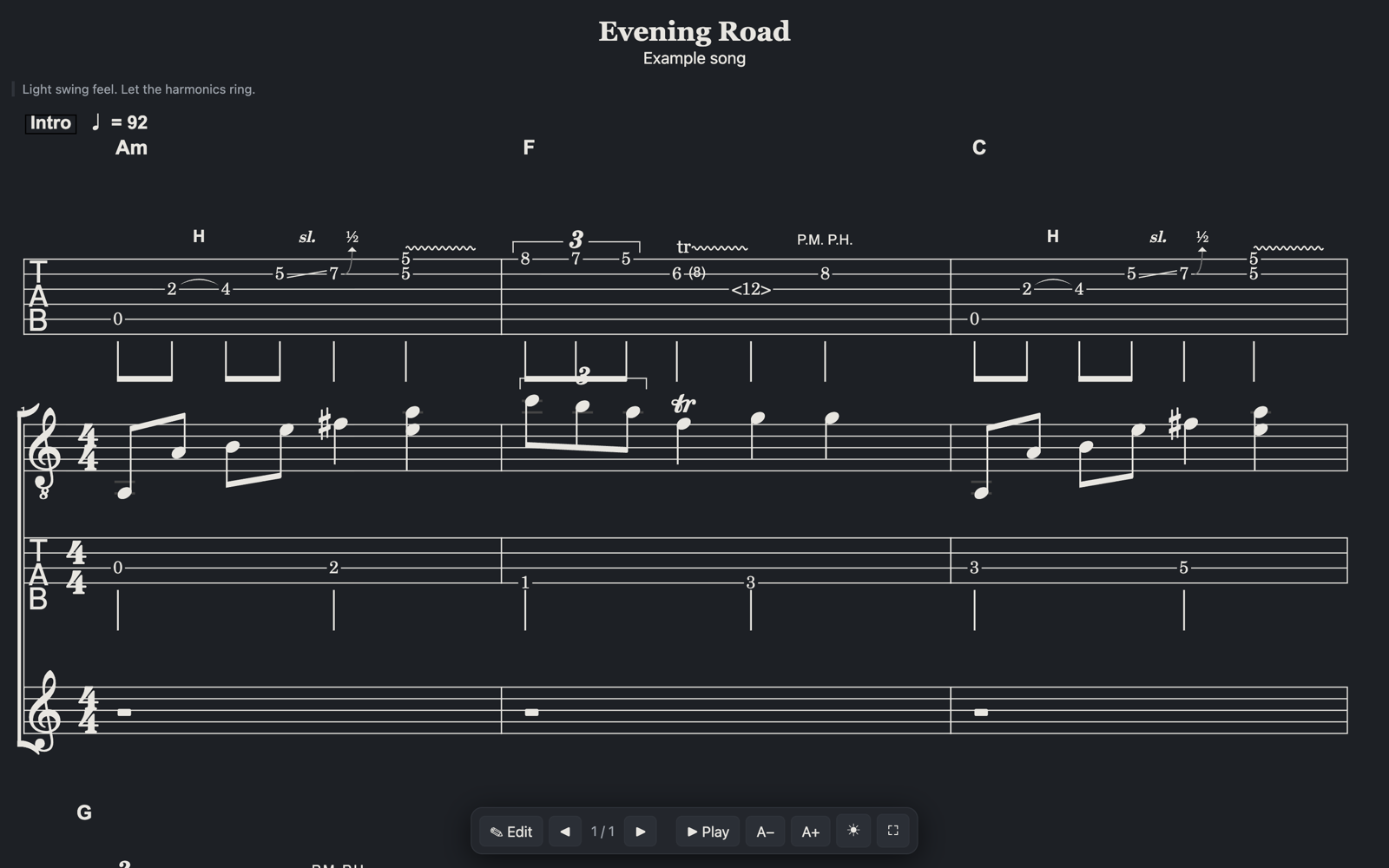
A display-only mode for the stage: large print, dark or light, page by page using the page breaks you placed. Pages turn by tapping the screen, with the keyboard or a Bluetooth pedal, or with MIDI messages (learn the message from your MIDI foot controller).
On the phone
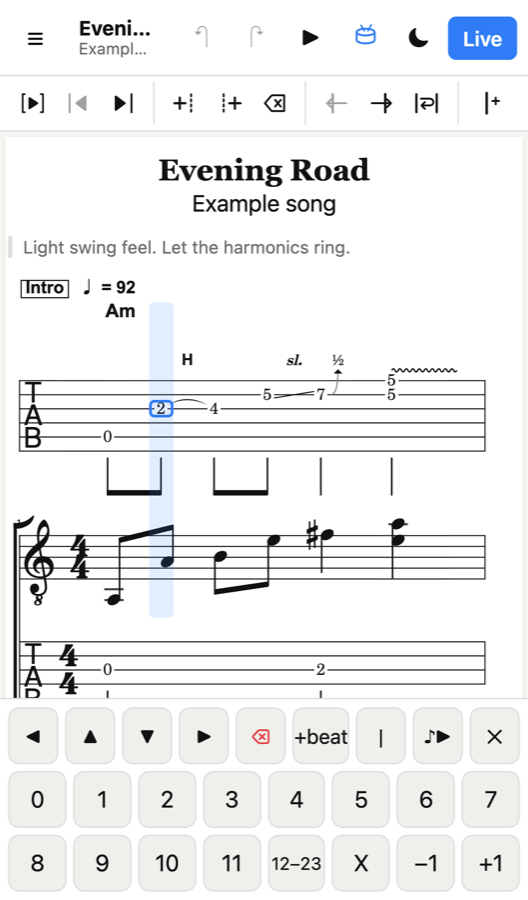
On a touch screen, a keypad appears for frets and navigation, and the toolbar scrolls sideways.
Files
- Export and import MIDI files. The
.midfiles written by the editor also contain the full song, so nothing is lost when you reopen them, and they can still be opened in any other MIDI software. - PDF export / print.
- Songs are saved automatically in the browser, with a small library to keep several songs.
Good to know
- Your songs stay in your browser: there is no account and no server-side storage. Save your songs as
.mid(or.jsonbackup) to keep them safe or move them to another device. - Instrument sounds are downloaded the first time they are used, so playback needs an internet connection (a simple built-in synth takes over when offline).
- External MIDI devices need a browser with Web MIDI support (Chrome, Edge, Firefox on desktop; not Safari on iPhone).